Most people shopping for a shed want an answer to one question first: what is this going to cost? Usually that means filling out a quote form and waiting for a call back. Our 3D shed designer skips the wait. You build the shed you want, see it from every angle, and watch your estimated price update as you go.
It is free, there is no account to create, and there is no obligation. Here is how it works, step by step, using a 12x24 aluminum shed as the example.
Step 1: Enter Your Delivery ZIP Code
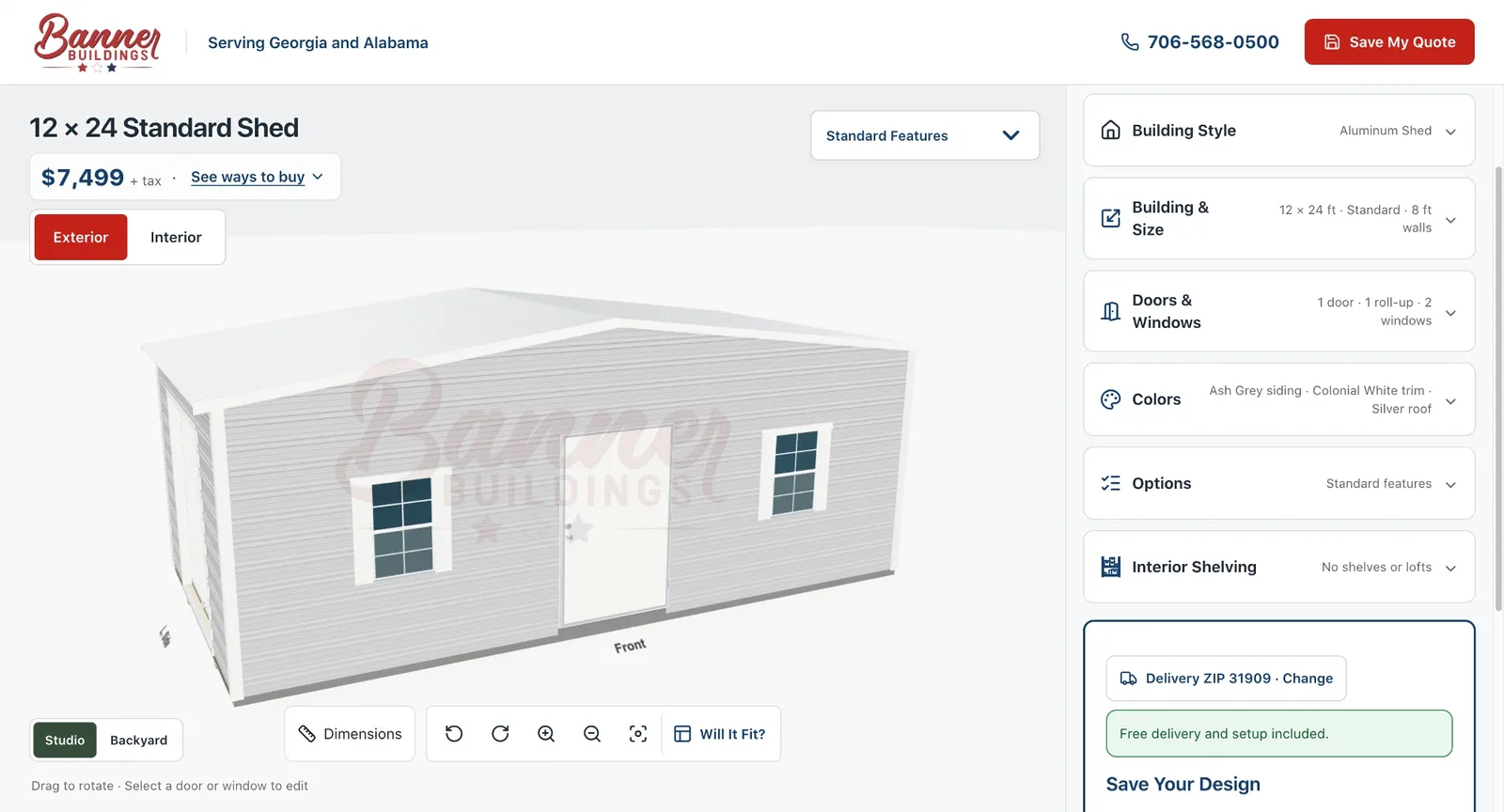
The designer opens with one question: where is the building going? Your ZIP code is used for estimated tax and delivery, so the price you see reflects your area. If you would rather not enter a ZIP yet, you can choose your state instead and add the ZIP later. Tap Start Designing and you are in.
Step 2: Choose Aluminum or Wood
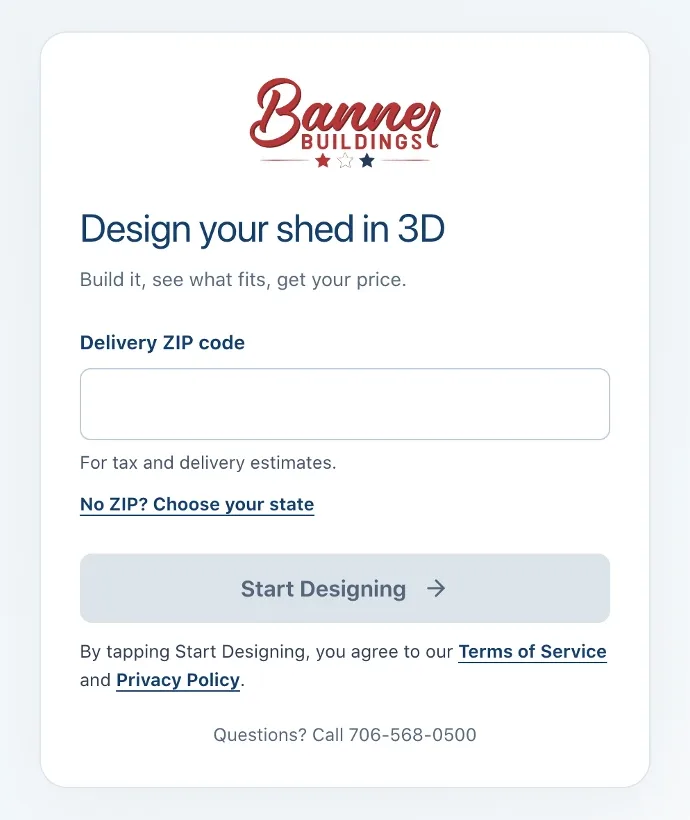
Under Building Style, pick an aluminum shed or a wood shed. You can switch between them at any time, which makes it easy to compare the two for the same size and layout. Not sure which one fits your property? Our guide to aluminum vs. wood sheds walks through the differences in durability, maintenance, and customization.
Step 3: Pick Your Size and Wall Height
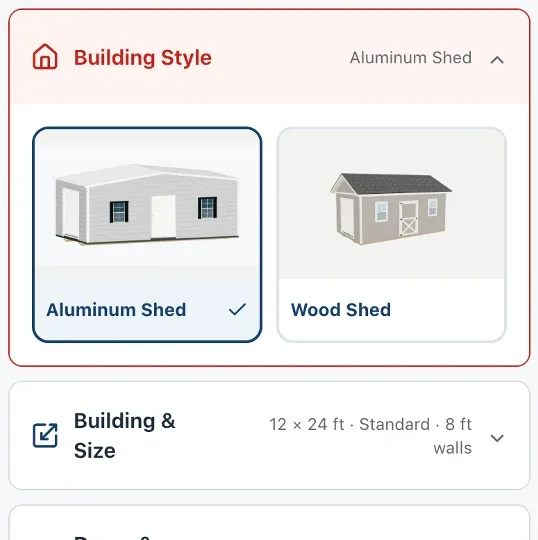
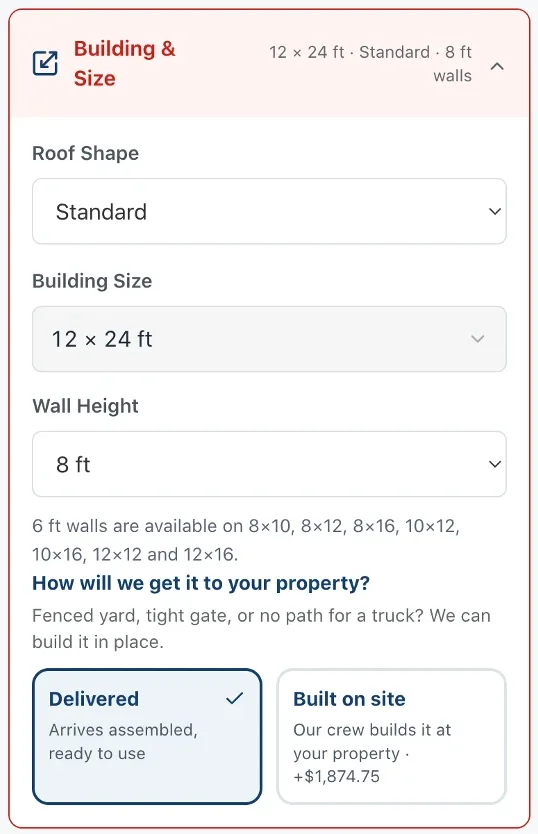
Open Building & Size to choose the roof shape, the building size, and the wall height. The 3D model updates the moment you change anything, so you can see how a 10x16 compares to a 12x24 before you commit. If you are still deciding on a size, start with What Size Shed Do I Need?
Step 4: Delivered or Built on Site
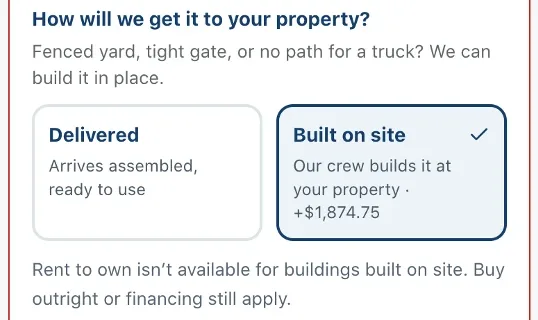
In the same section, the designer asks how the building will get to your property. Delivered means the shed arrives fully assembled and ready to use. If you have a fenced yard, a narrow gate, or no clear path for a truck, choose Built on site and our crew will build it right where you want it.
The designer shows exactly what building on site adds before you pick it. On this 12x24, it added $1,874.75. Two things to know: rent-to-own is not available for buildings built on site (buying outright and financing still are), and barn-style aluminum buildings are delivered only. Learn more about building a shed in a fenced yard.
Step 5: Place Your Doors and Windows
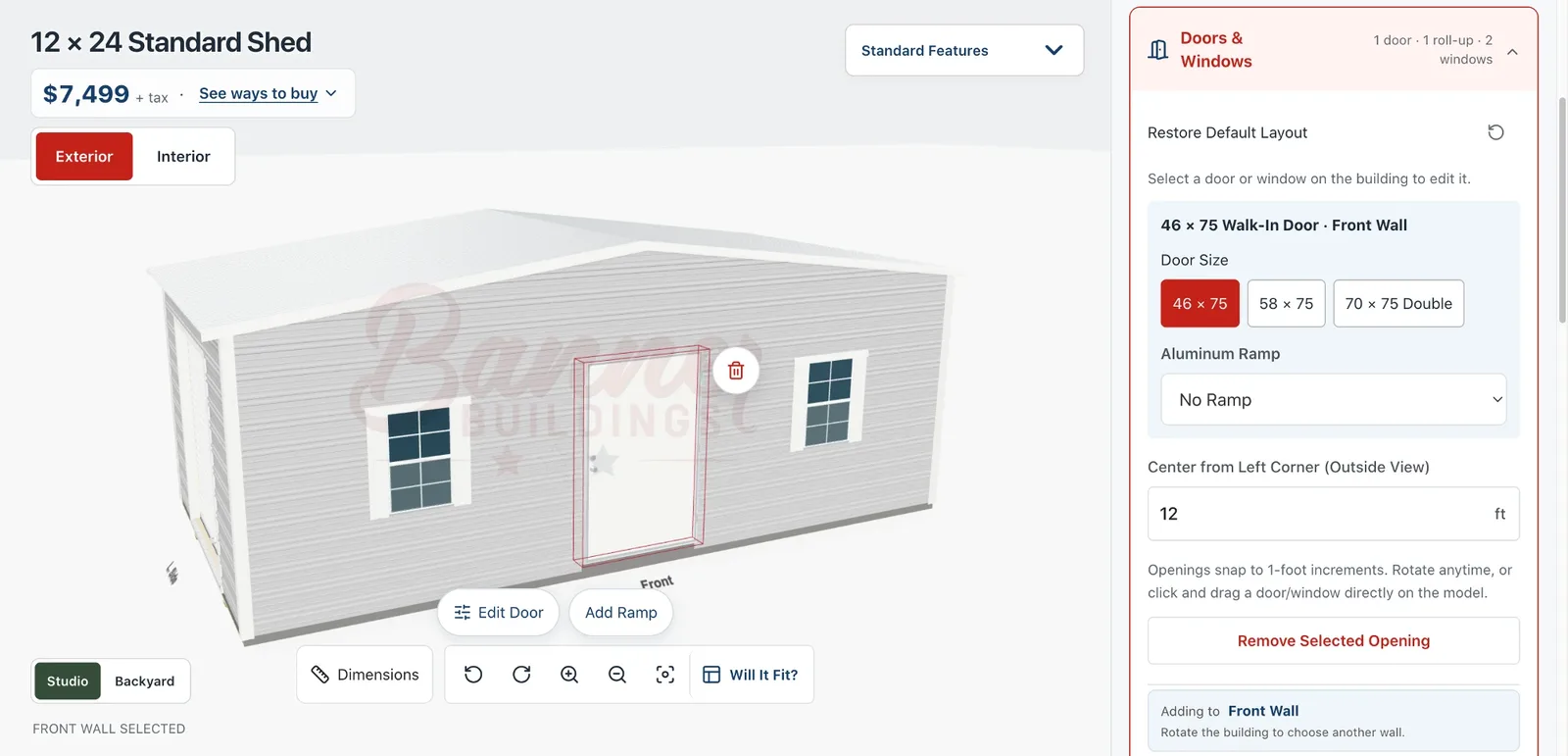
Under Doors & Windows, tap any door or window on the 3D model to edit it. For this aluminum shed, walk-in doors come in 46x75, 58x75, and 70x75 double sizes, and you can add an aluminum ramp. Drag an opening along the wall, or type its exact position. Openings snap to one-foot increments, so they always line up. Rotate the building to add openings to another wall.
Step 6: Choose Your Colors
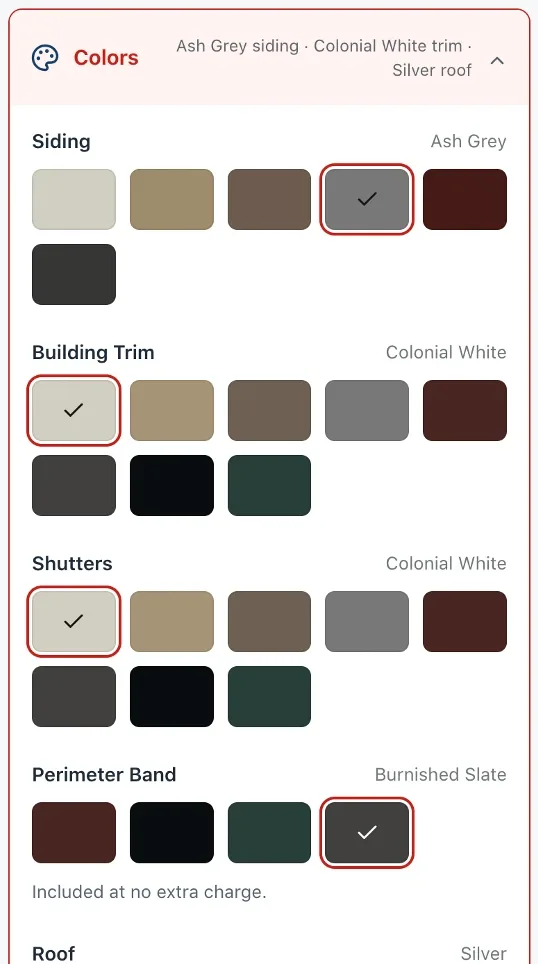
Open Colors to pick your siding, trim, shutters, and roof. On aluminum sheds, the perimeter band color is included at no extra charge. The model repaints instantly, so you can try a few combinations and see which one fits your house. For ideas, see How to Choose a Shed Color.
Step 7: Add Shelves, Lofts, and Options
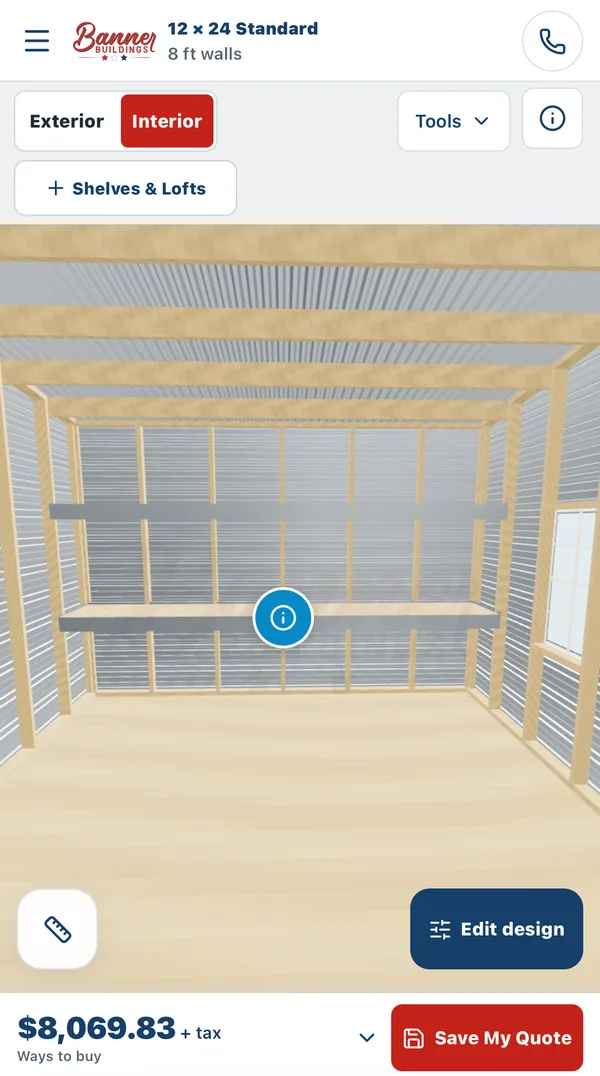
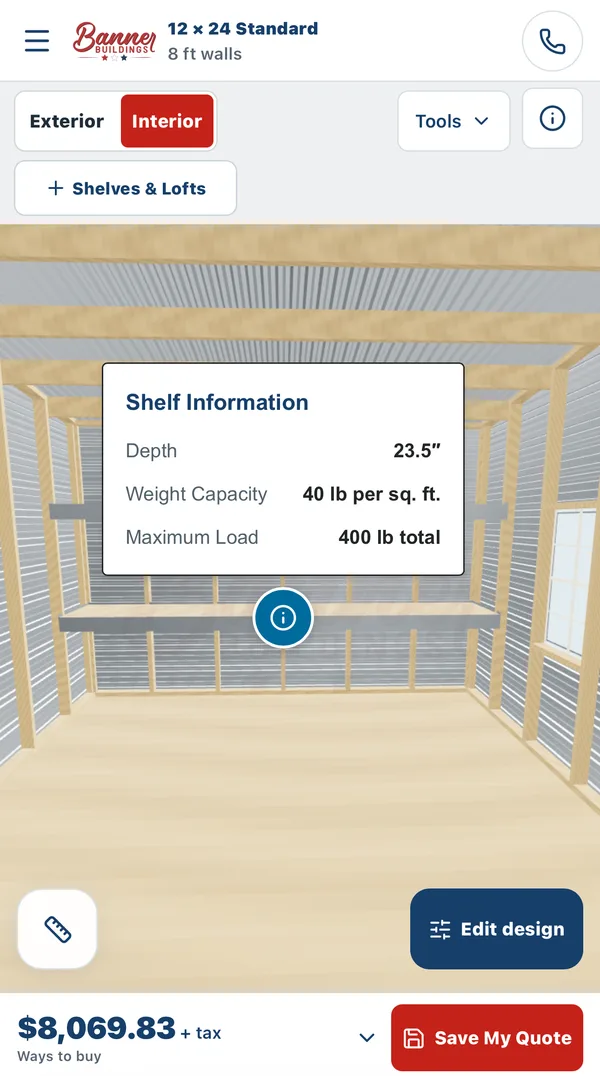
Switch to Interior to step inside the building. Tap Shelves & Lofts to add storage, then place it on the wall where you want it. Tap the info button on a shelf to see its depth and how much weight it holds. In this example, adding two shelves took the price from $7,499 to $8,069.83.
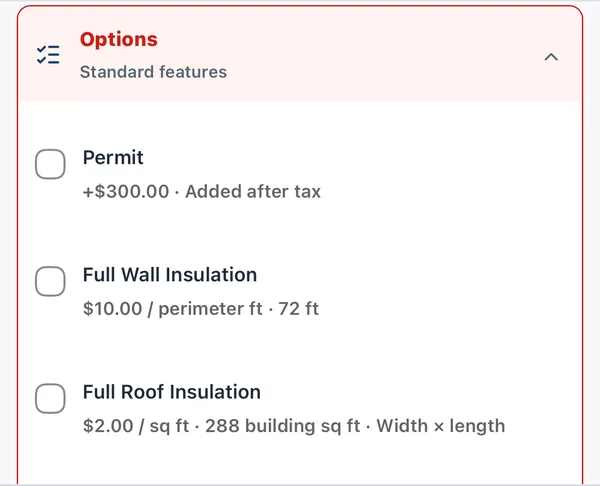
Under Options, you can add a permit, full wall insulation, and full roof insulation. Each option shows how it is priced for your building, so you know what it adds before you check the box.
Step 8: Check What Fits with Will It Fit?
This is the step most people skip, and it is the one that saves the most regret. Tap Will It Fit? and add the things you plan to store: a zero-turn mower, a tool chest, shelving, a generator, even a sofa. Drag them into place in the 2D plan or the 3D view. You can also compare shed sizes right there to see whether a smaller building would still work, or whether you need to go bigger.
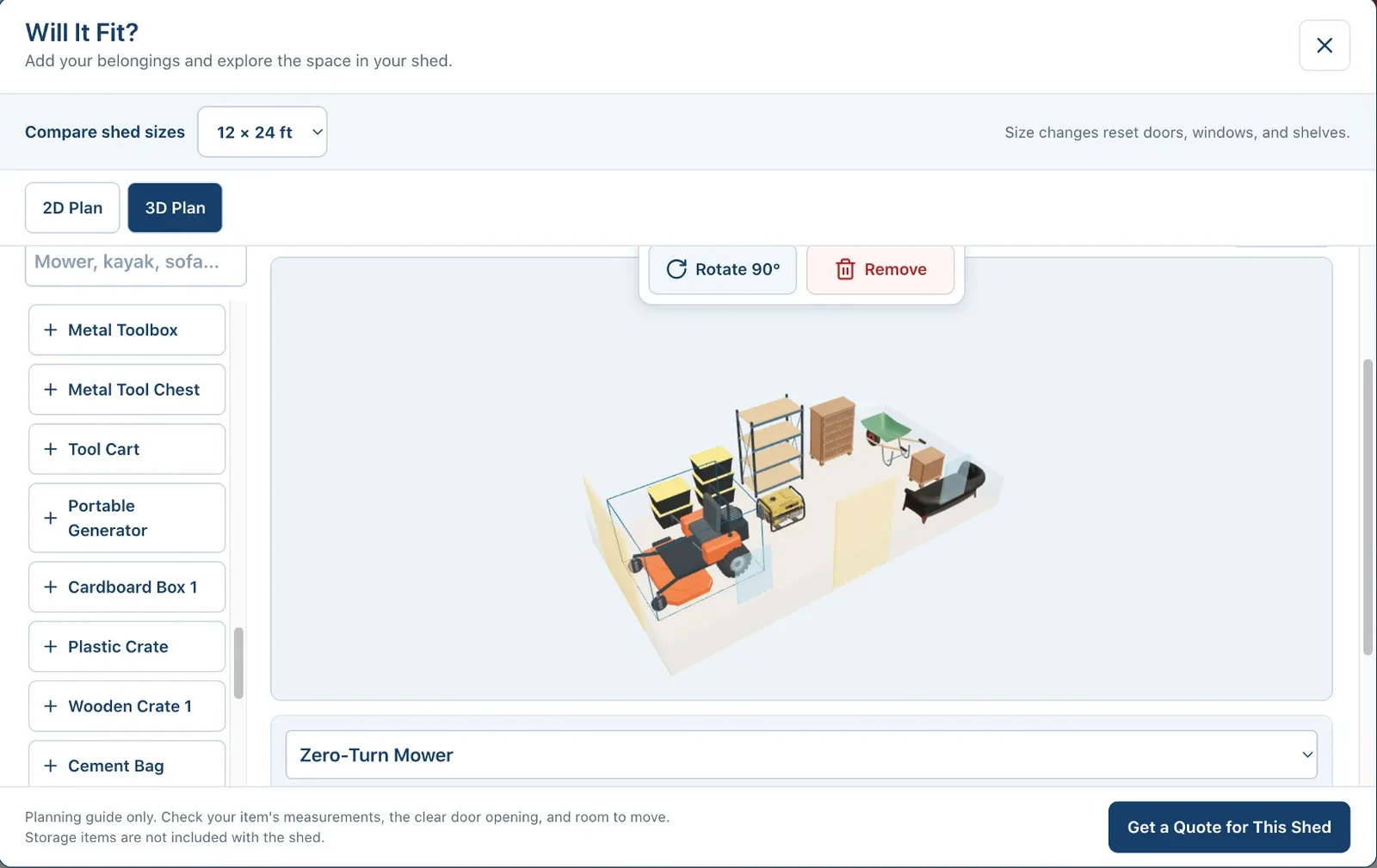
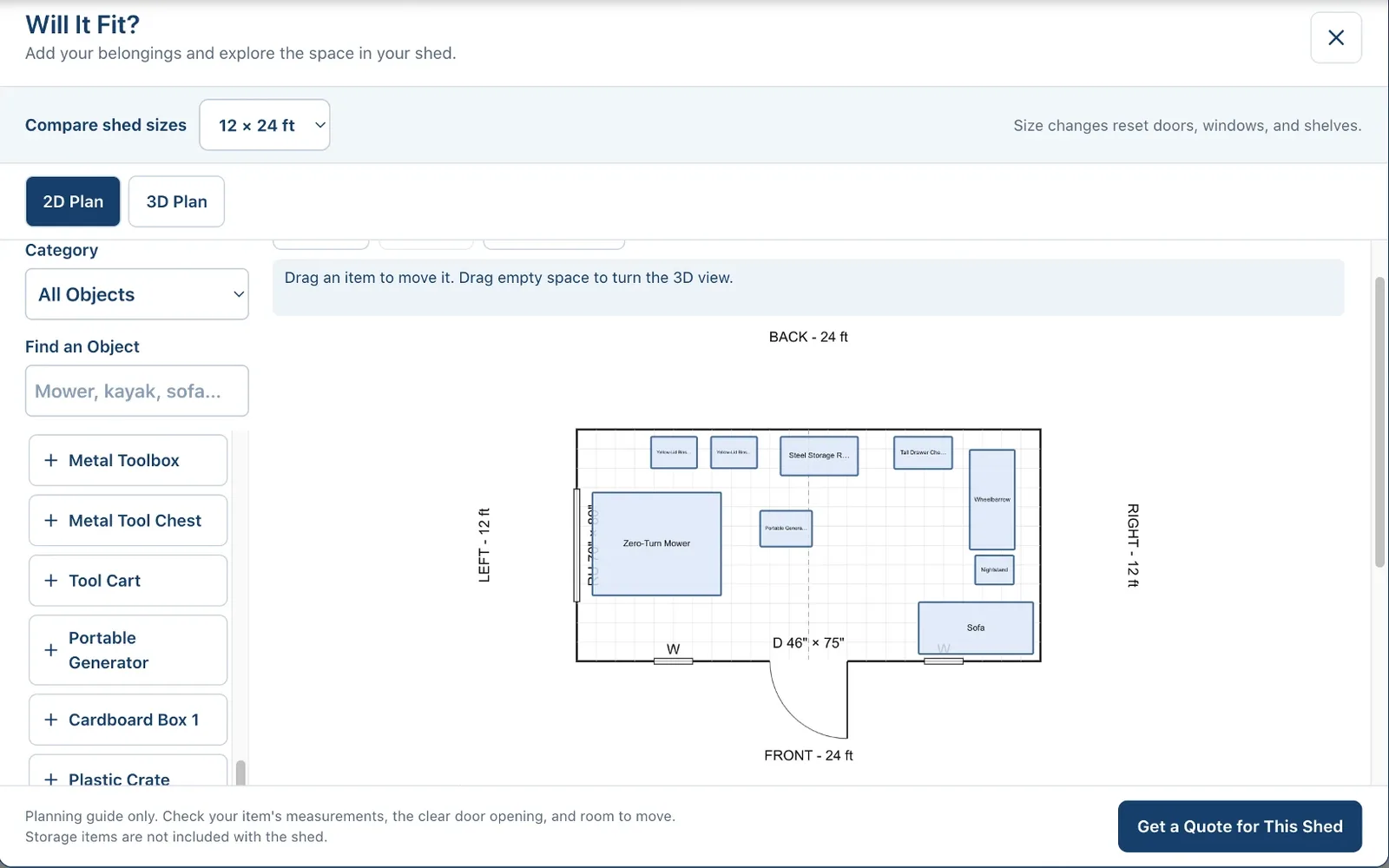
Will It Fit is a planning guide, so double-check your item measurements and the clear door opening. Want to try it on a specific size? Here is a 12x20 already open in Will It Fit. You can also read What Can You Fit in a 12x20 Shed?
Step 9: See Your Price and Ways to Buy
Your estimated price stays at the top of the screen the whole time. This 12x24 aluminum shed came to $7,499 plus tax, delivered. Tap See ways to buy to compare buying outright, financing, and rent-to-own, and open the itemized breakdown to see exactly what is included.
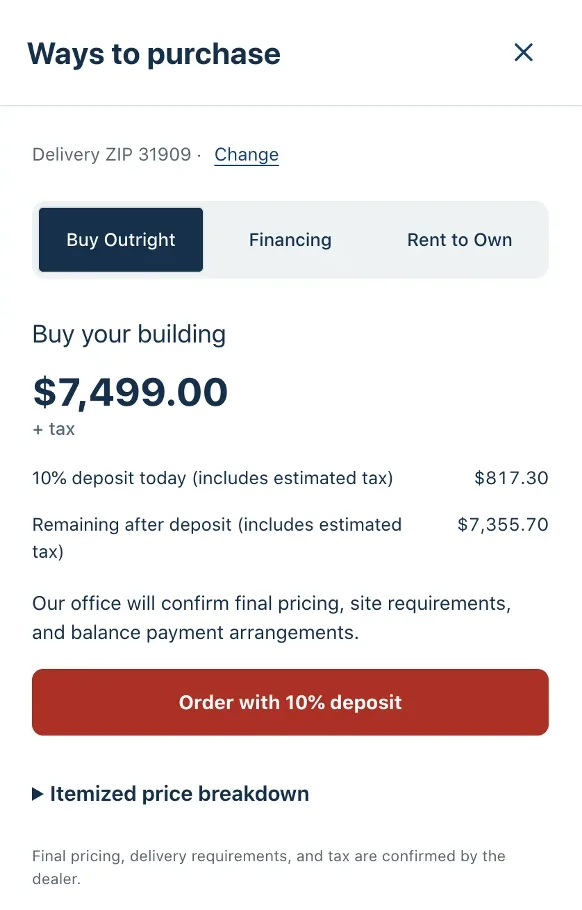
Prices in the designer are estimates. We confirm delivery, site conditions, and permits before your order, so the final price can change if your site needs something the design does not include. The prices in this post are examples from when it was written. Open the designer for current pricing.
Designing a Wood Shed
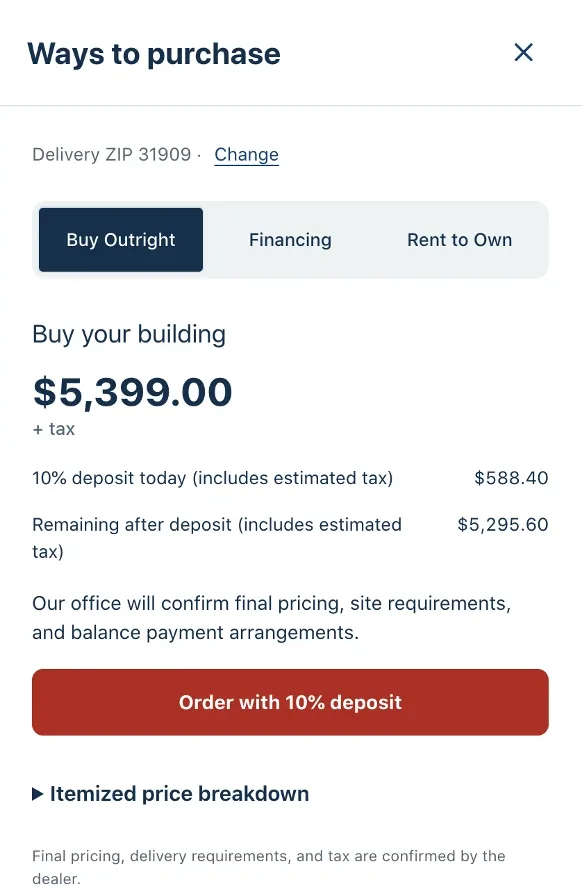
Choose Wood Shed under Building Style and the designer switches to our custom wood buildings. The steps are the same, with a few wood-specific choices. A 10x12 wood shed with a double wood door and two windows came to $5,399 plus tax, delivered.
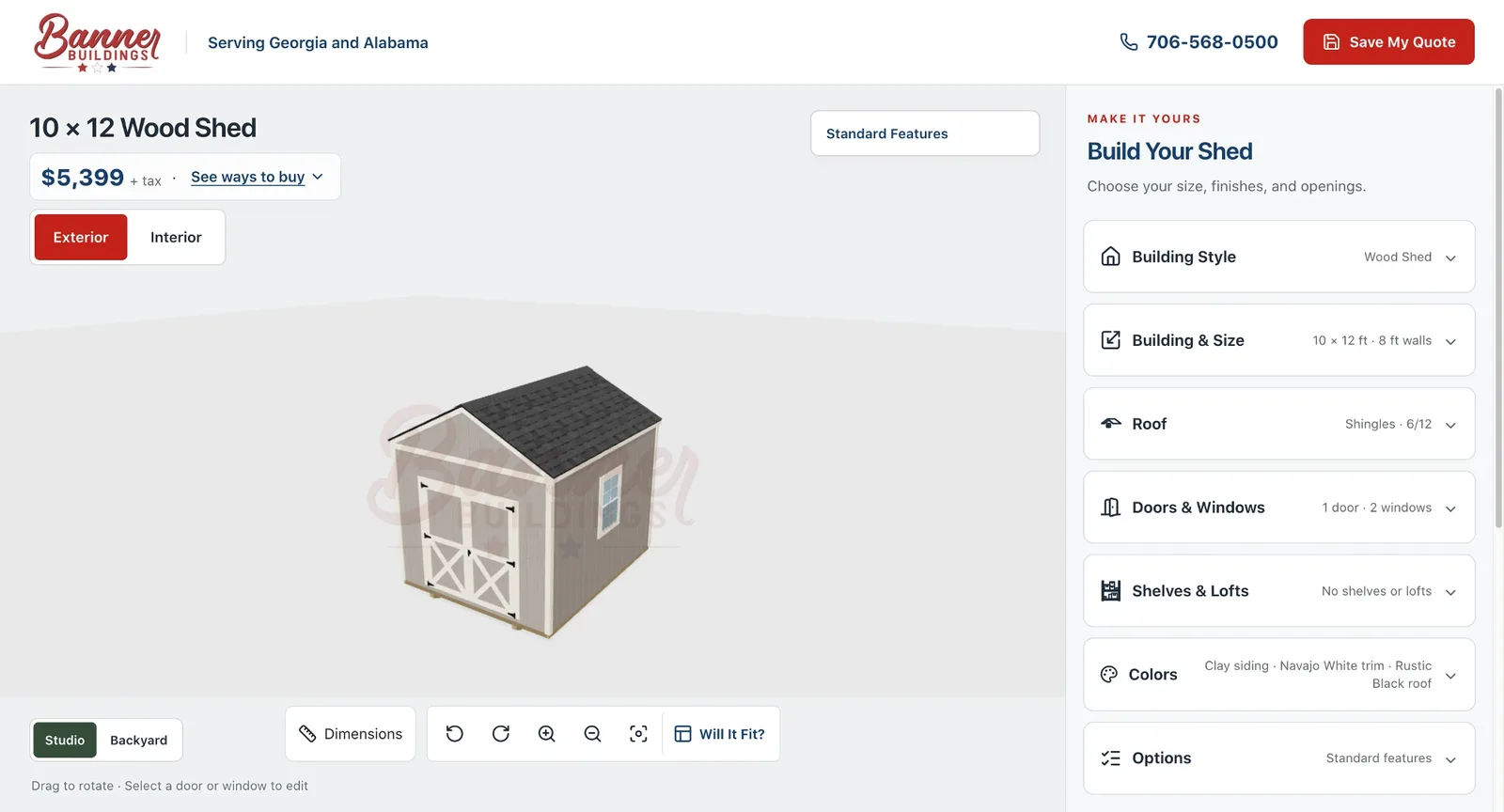
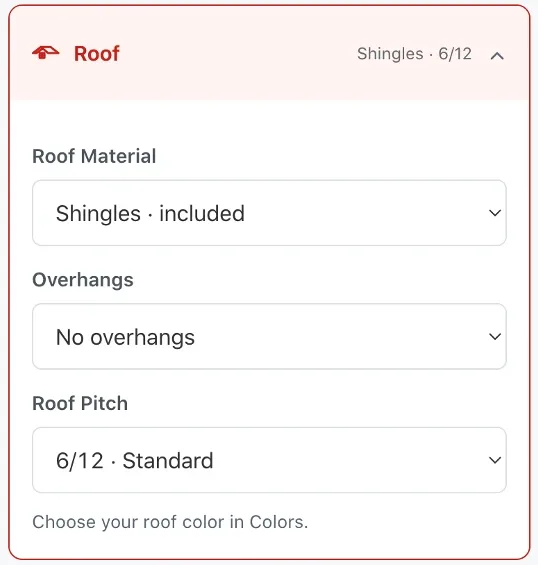
Roof. Wood sheds have their own Roof section, where you choose the roof material, overhangs, and roof pitch. Shingles are included, and 6/12 is the standard pitch. A steeper pitch needs soffits and built-on-site construction, and the designer tells you when a choice requires that. You pick the shingle color under Colors.
Doors and windows. Wood sheds offer their own door styles, including a 4-foot single wood door, a 6-foot wood double door, a 34x80 in-swing 9-lite door, a 72x80 in-swing French double door, and Thrifty walk-in doors. Add them to any wall with room, and rotate the building to work on another wall.
Colors. Pick a siding color from our paint options, from Navajo White and Clay to Hunter Green, Red, and Chestnut Stain, or leave the siding unpainted. Then choose your trim and shingle colors. The model repaints as you go, which makes it easy to match your house.
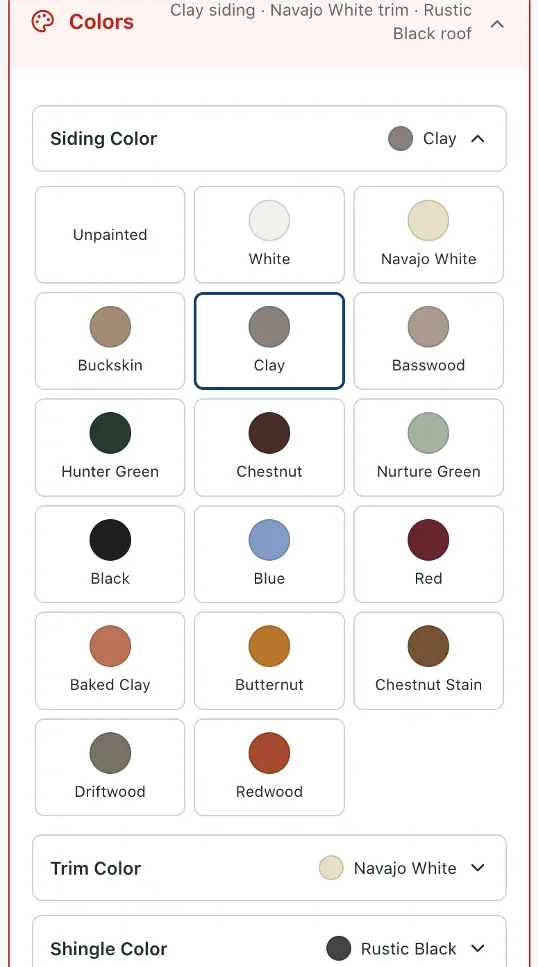
Delivered or built on site. Wood sheds can be delivered or built on site too. On this 10x12, building on site added $1,400. Wood sheds also have a Shelves & Lofts section for adding storage inside.
Ways to buy. Tap See ways to buy to compare buying outright, financing, and rent-to-own for your wood shed, just like the aluminum example above.
On Your Phone
The designer works on your phone, too. The building fills the screen, your estimated price and Save My Quote stay pinned to the bottom, and Edit design opens the same options as on a computer. Tap Full preview anytime to see the whole building again.
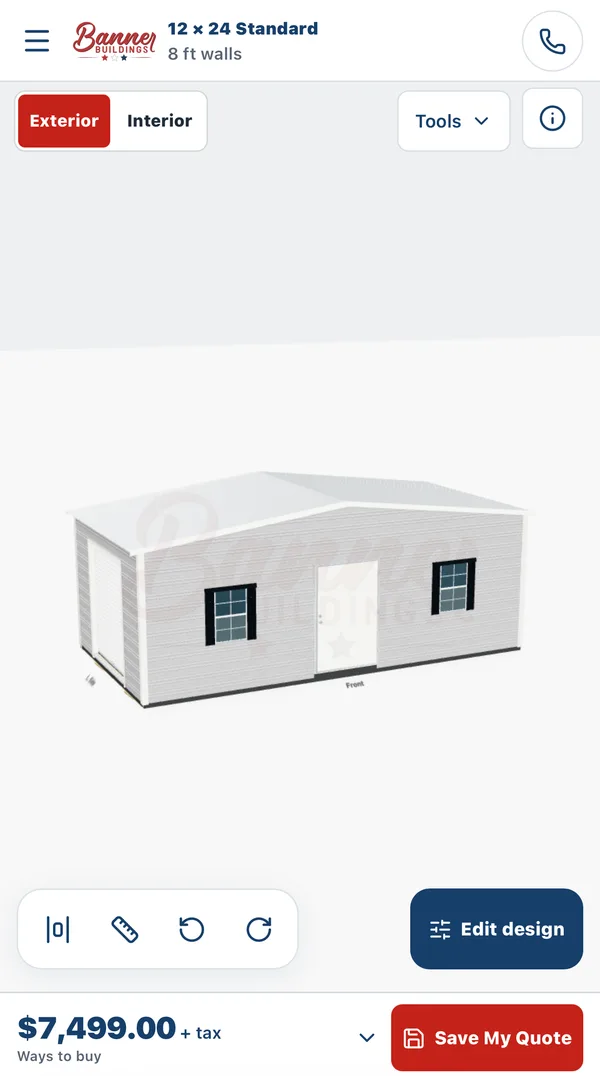
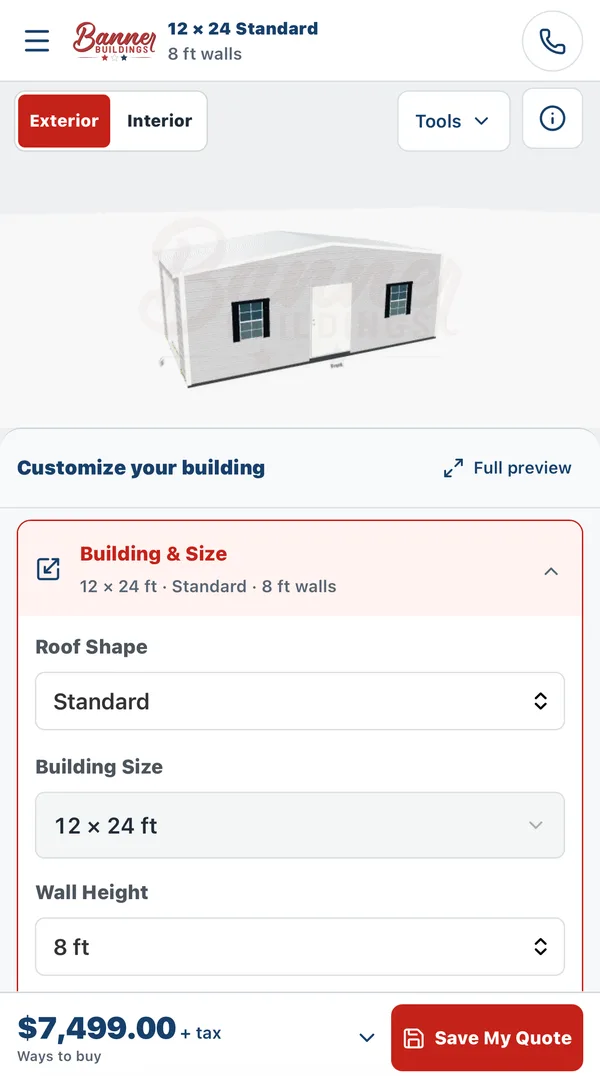
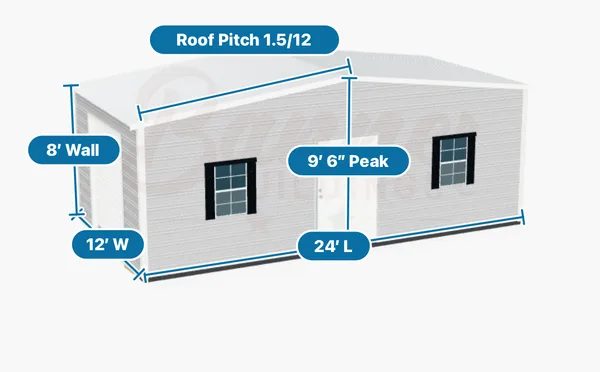
Want exact measurements? Turn on Dimensions to label the building's width, length, wall height, peak height, and roof pitch right on the model.
When You Are Ready
Tap Save My Quote to send your design to our team, and we will follow up with next steps. Prefer to talk it through? Call us at 706-568-0500 or stop by our lot at 4011 Warm Springs Road in Columbus. You can also browse in-stock buildings if you would rather have something delivered this week.
Ready to try it? Start with a wood or aluminum shed below.